
SOLUTION: NERDIO + LIQUIDWARE
Better Together on Microsoft AVD & Windows 365
Nerdio Runs Your Azure Desktops. Liquidware Completes the Workspace.
Running Nerdio Manager for AVD or Windows 365? Liquidware Essentials Plus™ adds Modern App Delivery, user and app management, DEX monitoring and real-time remediation to every session host Nerdio builds.
Nerdio Manages Azure. Users Need More Than Infrastructure.
Nerdio Manager deploys, scales and cost-optimizes Azure Virtual Desktop (AVD) and Windows 365 inside your own tenant. What runs on those session hosts is a separate job: the applications, the user environment and the experience your people feel every day. That is where Liquidware comes in.

Bloated Base Images
Every app installed into the image means more images to build, patch and test, and more risk with every update.

Basic Profile Management
FSLogix handles profile containers well, but context-aware policies, settings control and profile recovery need more.

Infrastructure Metrics, Not Experience
Azure metrics show host health, not what users actually feel at login and inside their sessions.
Liquidware Essentials Plus: The Enterprise Complement to Nerdio Manager
FlexApp™
-
Deliver FlexApp One packages from Nerdio Manager with Scripted Actions, during host creation or afterward. Base images stay clean and apps update without touching the image.
ProfileUnity™
-
Context-aware user and app policies across AVD, Windows 365 and physical PCs, working alongside FSLogix with Entra ID and hybrid AD support.
Stratusphere™ UX
-
User-experience monitoring from endpoint to session host, so you can right-size the hosts Nerdio scales and choose the right Windows 365 license.
CommandCTRL™
-
Live 3-second metrics and real-time remediation inside AVD and Windows 365 sessions, so the helpdesk fixes issues as they happen.
Azure App attach Ready
-
FlexApp also integrates with Azure App attach, so you can deliver the same packages natively from Azure.
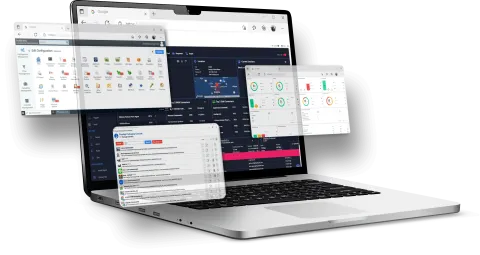
One Suite, Every Platform
-
Liquidware Essentials Plus covers AVD, Windows 365, legacy VDI such as Citrix and Omnissa desktops, and physical PCs.
Why this works:
Nerdio manages and scales the Azure infrastructure. Liquidware manages what runs on it: the apps, the user environment and the digital experience. There is no overlap and no rip-and-replace, so you keep the Nerdio investment you already made.
How Nerdio and Liquidware Work Together
| Area | Nerdio Manager | Liquidware Essentials Plus |
| Deployment & Host Pools | Deploys new or connects existing AVD and Windows 365 environments | Runs on every session host and Cloud PC Nerdio builds |
| Auto-scaling & Azure Cost | Multi-trigger auto-scaling of host pools | Stratusphere™ UX usage data to right-size hosts and Windows 365 licenses |
| Application Delivery | Scripted Actions and WinGet automation | FlexApp™ One packages delivered through Scripted Actions or Azure App attach |
| User Environment | FSLogix profile container configuration | ProfileUnity™ context-aware policies that work alongside FSLogix |
| Experience Monitoring | Azure infrastructure health | Stratusphere UX user-experience monitoring from endpoint to session |
| Real-Time Support | User session management | CommandCTRL™ 3-second metrics and live remediation |
| Platforms | Microsoft AVD and Windows 365 | AVD, Windows 365, legacy VDI and physical PCs |
Already running Nerdio Manager? Liquidware Essentials Plus works alongside it without replacing anything in your Nerdio setup, and it extends the same management to legacy VDI such as Citrix and Omnissa desktops while you move to AVD and Windows 365.
Ready to Complete Your
Nerdio Environment?
See Liquidware Essentials Plus running alongside Nerdio Manager.
Talk to a Liquidware workspace expert.
Nerdio and Nerdio Manager are trademarks or registered trademarks of Nerdio and are used here for identification purposes only. Liquidware makes no claim of ownership to these marks. Liquidware, ProfileUnity, FlexApp, Stratusphere UX and CommandCTRL are trademarks or registered trademarks of Liquidware Labs, Inc. Microsoft, Azure and Windows 365 are trademarks of the Microsoft group of companies. All other marks mentioned herein may be trademarks of their respective owners.