
Real-Time Remediation for Digital Employee Experience (DEX)
Real-time remediation for digital employee experience (DEX) is the ability to detect, diagnose and resolve workspace performance issues as they occur—before users are impacted.
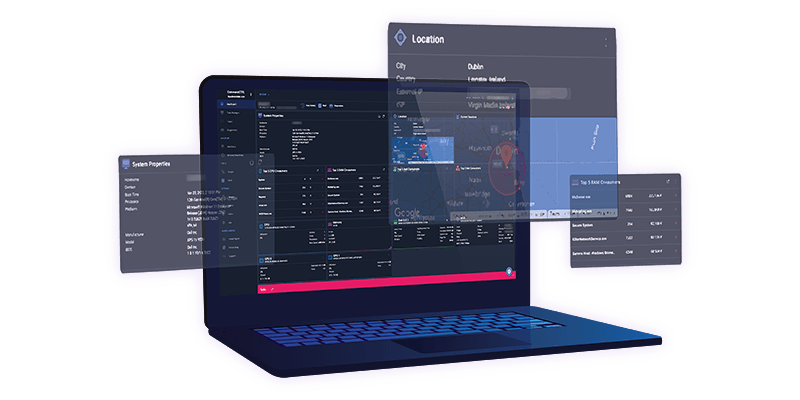
“With Stratusphere UX and CommandCTRL, we help IT teams see what’s happening, understand why and fix workspace issues fast — across physical, virtual and cloud environments.”
- Sr. Systems Engineer at Liquidware
What Is Real-Time Remediation in DEX?
Real-time remediation in DEX environments is a proactive IT approach that combines live monitoring, diagnostics and remediation actions to resolve issues immediately. Instead of waiting for user-reported problems, IT teams can identify performance anomalies, determine root causes and take corrective action in real time.
This approach reduces the delay between issue detection and resolution, which is the primary driver of downtime and poor digital employee experience.
The Challenge
Why Traditional IT Support Falls Short
Traditional IT support models are reactive by design. Users experience issues first, and IT responds later.
Common limitations include:
-
Lack of real-time visibility into user environments
-
Manual and time-consuming root cause analysis
-
Repeated performance issues across multiple users
-
Dependence on user-reported tickets

Why this matters:
In distributed and hybrid environments, delays in detection and resolution directly impact productivity, increase support costs and degrade employee experience.
How It Works
How Real-Time Remediation Works

Stratusphere UX continuously monitors endpoints, VDI sessions, and cloud desktops to identify anomalies as they occur


IT teams can analyze CPU, memory, network latency, login performance and application behavior to pinpoint the source of issues

CommandCTRL enables live remediation through remote actions, scripting and session-based interventions

Historical analytics and session playback help identify patterns and eliminate recurring disruptions
Difference
Real-Time Remediation vs DEX Monitoring
Digital employee experience monitoring and remediation are closely related but serve different roles.
Provides visibility into performance and user experience
Takes action to resolve issues immediately
Why this distinction matters:
Monitoring alone identifies problems, but remediation ensures they are resolved quickly and do not impact users.
Best Fit
When to Use Real-Time Remediation
Real-time remediation is most valuable in environments where performance issues directly impact productivity:

Find Gaps Before Users Feel Them
Identify performance issues, user experience risks and environment inefficiencies before they impact productivity.
Scenarios
Common Real-Time Remediation Scenarios
Real-world examples of remediation actions include:
1.
Restarting high CPU processes impacting performance
2.
Resolving slow login times caused by profile delays
3.
Identifying and correcting network latency issues
4.
Recovering from application crashes without user disruption
5.
Adjusting resource allocation in virtual environments
These scenarios demonstrate how real-time remediation prevents issues from escalating into support incidents.
Benefits
Benefits of Real-Time Remediation
Organizations implementing real-time remediation for DEX achieve measurable improvements:

Reduced Mean Time to Resolution (MTTR) by eliminating diagnostic delays
Increased workforce productivity by preventing disruptions
Minimized user downtime through proactive intervention
Lower IT support costs through reduced ticket volume
Improved service desk efficiency with faster issue resolution
Improved digital employee experience across all environments
Real-World Results
Organizations implementing real-time remediation for DEX achieve measurable improvements:

Global Manufacturer
Reduced escalation to Tier 2 and Tier 3 support
Healthcare Provider
30–50% reduction in helpdesk tickets

Strategy
How Real-Time Remediation Fits into a DEX Strategy
A complete digital employee experience strategy includes three key layers:

Identify performance issues and user experience gaps

Resolve issues in real time

Prevent issues through continuous improvement
Liquidware integrates all three layers, enabling IT teams to move from reactive support to proactive experience management.
Real-Time DEX Across Any Environment

Any Environment
- Microsoft Azure Virtual Desktop (AVD)
- Windows 365 Cloud PC
- Citrix environments
- Physical endpoints
- Hybrid and multi-cloud infrastructures
Application Ecosystem
- Context-aware deployment for FlexApp, MSIX, App-V, ThinApp
- Replace legacy App-V infrastructure with context-aware delivery
- Support cloud app environments (including Amazon AppStream)
Why Liquidware?
Why Liquidware for Real-Time Remediation?
Organizations implementing real-time remediation for DEX achieve measurable improvements:
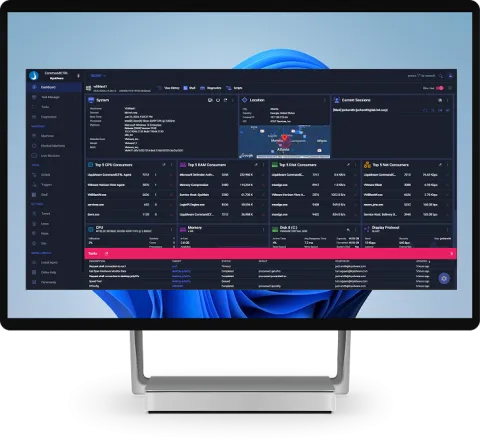
Remediate
Minimized user downtime through proactive intervention
Lower IT support costs through reduced ticket volume
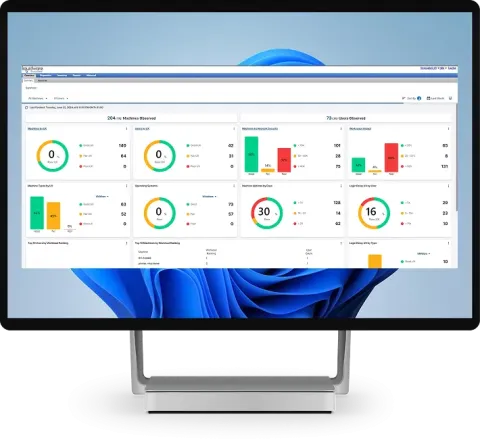
Detect + Diagnose
Reduced Mean Time to Resolution (MTTR) by eliminating diagnostic delays
Improved service desk efficiency with faster issue resolution
How to improve
4 Steps to Improve DEX with Real-Time Remediation

Monitor desktop conditions continuously

Identify root causes of performance issues

Remediate issues in real time

Prevent recurring disruptions with analytics
Digital employee experience (DEX) refers to how users interact with workplace technology, including performance, reliability and usability across devices, applications and networks.
Real-time remediation is the process of detecting and resolving IT issues immediately using live monitoring, diagnostics and remote actions to prevent user disruption.
Real-time remediation reduces MTTR by eliminating delays between issue detection and resolution, allowing IT teams to act immediately instead of waiting for user reports.
Tools like Liquidware Stratusphere UX and CommandCTRL provide monitoring, diagnostics and remediation capabilities across digital workspaces.
Reactive support responds after users report issues, while real-time remediation identifies and resolves issues before users are impacted.